
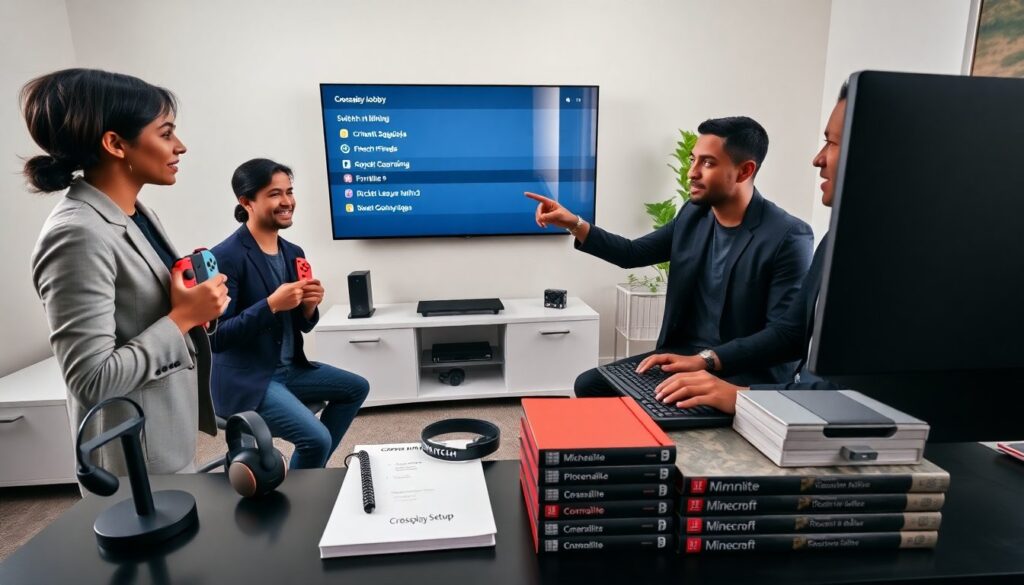
Switch and PC crossplay games let friends play together across systems. This guide lists standout titles that support crossplay in 2026. It also explains how to set up crossplay and fix common issues. The reader will learn which games work well for competitive, cooperative, and party play and how to connect a Nintendo Switch to a PC for shared sessions.
Key Takeaways
- Switch and PC crossplay games enable seamless multiplayer experiences, with popular titles like Fortnite, Rocket League, and Minecraft supporting smooth cross-platform play.
- Setting up crossplay requires linking the appropriate external accounts (e.g., Epic or Microsoft), installing compatible game versions, and enabling crossplay in game settings on both Switch and PC.
- To optimize gameplay, configure input preferences and voice chat options, then test matchmaking with low-stakes sessions to adjust for latency or lag.
- Common crossplay issues like account linking failures, matchmaking region problems, high latency, and input mismatches can be resolved by following specific troubleshooting steps such as re-signing in, adjusting region settings, and using wired connections.
- Players should ensure their games are updated to the latest versions and confirm compatibility notes, as some titles have edition restrictions or partial crossplay support on Switch.
Must-Play Crossplay Titles: Competitive, Cooperative, And Party Games
The list below shows top switch and pc crossplay games that deliver strong multiplayer on both platforms. Each entry names the game, the play style, and why it works across Switch and PC.
Fortnite performs well for both competitive and party play. It supports crossplay between Switch and PC. Players can squad together with low friction. Epic Accounts link progress across platforms.
Rocket League suits competitive and casual players. It has quick matches and consistent physics on Switch and PC. The game syncs progression through Epic Accounts. Players can use controllers or mouse and keyboard.
Apex Legends offers solid team-based shooter action. It supports crossplay and uses skill-based matchmaking. Players find balanced matches when they use crossplay settings.
Minecraft supports cooperative building and mini-games. Bedrock Edition enables crossplay across Switch and PC. Players can join friends with a Microsoft Account.
Among Us works well for social deduction and party sessions. The game supports crossplay across Switch and PC. Players join lobbies with a room code or online match.
Sea of Thieves focuses on cooperative play and shared world adventure. It supports crossplay between Windows and Xbox, and it works with select crossplay bridges that include Switch. Players sail, loot, and fight together.
Smash Bros. Ultimate does not offer full native crossplay with PC. But, fans use cloud services and community tools to stage cross-platform matches. Players should weigh latency before joining competitive sets.
Dead by Daylight supports asymmetric play between killers and survivors. It enables crossplay across Switch and PC. The game keeps player pools large and session times short.
Overcooked. All You Can Eat provides local and online co-op. It supports crossplay between Switch and PC in many regions. Players enjoy short rounds and clear objectives.
Paladins and Warframe offer free-to-play choices with crossplay support. They support crossplay between Switch and PC in most cases. Players appreciate large player bases and frequent updates.
This list focuses on titles that work smoothly across Switch and PC. It favors games that use account linking, clear matchmaking, and stable servers. Players should check each game’s official crossplay notes before inviting friends.
How To Set Up Crossplay Between Nintendo Switch And PC (Step-By-Step)
This section gives a simple setup plan for switch and pc crossplay games. It lists steps the player must follow on both Switch and PC. The steps use plain account names and clear actions.
- Create or link accounts. The player signs in to the game account required for crossplay. Many games require an Epic Account or Microsoft Account. The player links that account on both Switch and PC.
- Install the correct game version. The player downloads the version that supports crossplay. For Minecraft, the player must use Bedrock Edition on both systems. The player updates the game to the latest patch.
- Configure crossplay in settings. The player opens the game settings. The player enables the crossplay option if the game offers one. The player saves changes and restarts the game if needed.
- Add friends across platforms. The player sends a friend invite with the game account name. The friend accepts on the other platform. The player uses a lobby code when the game uses codes.
- Choose input and voice options. The player picks controller or mouse and keyboard. The player links voice chat if the game supports cross-platform voice. Third-party apps work when in-game voice is limited.
- Test a match. The player starts a low-stakes session to confirm matchmaking and latency. The player adjusts settings when they notice lag or input delay.
This step list helps players prepare their hardware and accounts. It keeps the setup clear and repeatable. Players who follow these steps will reduce setup time and start playing switch and pc crossplay games faster.
Troubleshooting Common Crossplay Issues And Compatibility Notes
This subsection lists common problems with switch and pc crossplay games and clear fixes. Each entry follows a problem-action format.
Problem: Account does not link. Action: The player signs out of the game on both systems. The player signs in again with the same external account. The player clears cached account data when possible.
Problem: Matchmaking places players in wrong regions. Action: The player checks region settings in the game options. The player selects a closer region or uses a VPN carefully. The player keeps in mind that some games lock regions by store account.
Problem: High latency for Switch players. Action: The player uses wired LAN via a USB adapter for the Switch dock. The player asks other household users to pause heavy downloads. The player lowers graphics-heavy settings on PC to reduce server strain.
Problem: Controller and input mismatch. Action: The player configures input settings in the game. The player allows controller auto-detect when the game supports it. The player uses controller remapping tools when needed.
Problem: Voice chat unavailable. Action: The player uses the game’s official voice system if it exists. The player uses a third-party app for cross-platform voice. The player checks microphone permissions on both systems.
Problem: Game versions mismatch. Action: The player checks for updates on both Switch and PC. The player avoids beta branches when friends use stable releases. The player waits for developers to sync crossplay patches.
Compatibility notes: Some games exclude Switch from full crossplay due to platform rules or input differences. Some games require specific editions, such as Bedrock for Minecraft. Players should consult the game’s official support page for final details.
These fixes address most issues players encounter with crossplay. The player who follows these actions will restore sessions and play switch and pc crossplay games with fewer interruptions.
More Stories
Inside PC Brigade: The Ultimate GeekGadget.net Guide To Custom PCs, Mods, And Community (2026)
Inside GeekGadget.net’s Brigade PC: The Ultimate Budget Gaming Build (2026 Guide)
GGPcBrigade Geek Gadget Show: The Ultimate Guide To The Best Demos, Hacks, And Finds (2026)