
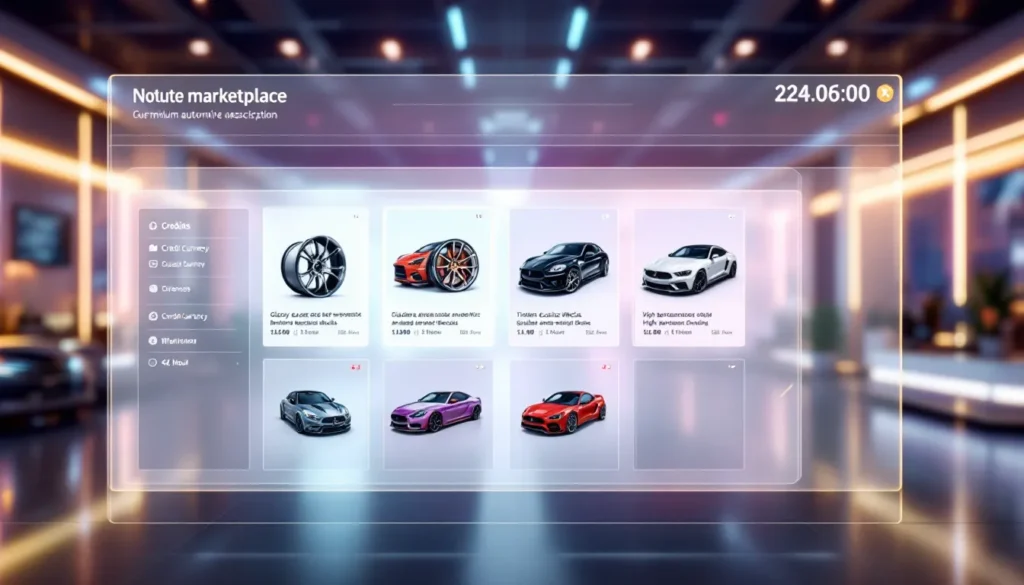
The Rocket League item shop has become the primary destination for players looking to customize their rides with fresh decals, flashy wheels, and goal explosions that make every score memorable. Since Psyonix shifted from the blueprint system to the current shop model, understanding how daily rotations work, and when to pull the trigger on purchases, has become essential for anyone wanting to build their dream car without draining their credit balance.
Whether you’re hunting for a specific Titanium White Octane decal or just browsing for inspiration, the shop’s constantly rotating inventory means today’s offerings won’t be around tomorrow. This guide breaks down everything from access and navigation to smart budgeting strategies, tracking rare items, and avoiding the common traps that lead to buyer’s remorse. By the end, players will know exactly how to maximize their credits and snag the cosmetics that matter most.
Key Takeaways
- The Rocket League item shop resets daily at 00:00 UTC with new cosmetics, making timing crucial for securing limited-time items like exclusive collaborations and seasonal exclusives before they disappear.
- Smart budgeting—allocating credits across must-have wishlist items, opportunistic purchases, and reserves—prevents overspending and maximizes your customization potential without buyer’s remorse.
- High-demand items like the Fennec body and Titanium White variants rotate every 2-6 weeks, so standard cosmetics can be safely waited on, while exclusive or seasonal releases should be purchased immediately.
- Bundle deals offering 20%+ savings compared to individual item prices provide genuine value, but bundles padded with filler cosmetics waste credits—always preview each included item before committing.
- Community tracking tools like RL Insider and Rocket League Garage enable you to monitor wishlist items and receive notifications when they appear in the shop, eliminating the need to manually check daily rotations.
- The 24-hour rule—waiting at least one day before purchasing—filters out impulse buys driven by artificial urgency and ensures every credit investment aligns with your actual customization goals.
What Is the Rocket League Item Shop?
The Rocket League item shop is an in-game marketplace where players purchase cosmetic items directly from Psyonix using Credits, the game’s premium currency. Launched in December 2019 as part of the game’s shift to free-to-play, the shop replaced the randomized crate system with transparent, fixed-price purchasing. Items rotate daily, offering a curated selection of car bodies, decals, wheels, boosts, goal explosions, and other cosmetics.
Unlike the old blueprint system, where players had to unlock items from random drops, the shop displays exactly what’s available and at what price. There’s no gambling involved. You see the Fennec body for 800 Credits, you buy it. Simple.
How the Item Shop Works
The shop operates on a 24-hour rotation cycle, resetting daily at 00:00 UTC (7 PM ET / 4 PM PT). Each refresh brings a new lineup of items, typically featuring 6-10 individual cosmetics or bundles. Featured items occupy the top slots and often include popular car bodies, painted variants, or limited-time exclusives. Standard items fill out the rest of the inventory.
Pricing follows a tiered structure based on rarity and desirability:
- Uncommon/Rare items: 50-100 Credits
- Very Rare items: 100-300 Credits
- Import items: 300-800 Credits
- Exotic items: 700-2,000 Credits
- Black Market items: 2,000-2,500 Credits
Painted variants and certified items command higher prices. A standard Octane decal might run 300 Credits, while a Titanium White version could hit 1,000+. Bundles, which package multiple items together, usually offer a 10-20% discount compared to buying items separately.
Item Shop vs. Trading: Understanding Your Options
Rocket League items can be acquired through two main channels: the official shop and player-to-player trading. Each has distinct advantages depending on what players are chasing.
The item shop guarantees availability and pricing transparency. When a desired item appears, players know the exact credit cost with no negotiation or price fluctuation. It’s perfect for snagging specific cosmetics when they rotate in, and purchases are instant, no waiting for trade partners or worrying about scams.
Trading, by contrast, offers access to a vastly larger inventory. Many older or discontinued items never appear in the shop but remain available through the trading economy. Players can sometimes find better deals on older items or trade duplicate drops to other players. The catch? Trading requires patience, research into current market values, and awareness of scam tactics. Items obtained from the shop are marked as “non-tradeable,” so they can’t be resold or swapped later.
For most players, the shop serves as the reliable option for immediate gratification, while trading opens doors to rare legacy items and potential credit savings if you’re willing to put in the legwork.
How to Navigate the Rocket League Item Shop
Accessing the Shop and Understanding the Layout
Accessing the Rocket League shop takes seconds. From the main menu, select the “Item Shop” tab in the top navigation bar (it’s between “Garage” and “Challenges” on most platforms). The shop interface loads immediately, displaying the current day’s offerings in a grid or carousel format depending on your platform.
The layout prioritizes visual clarity:
- Featured Section (top): Showcases 1-3 premium items or bundles, often including exclusive or high-demand cosmetics. These typically carry higher price tags but offer the most sought-after designs.
- Daily Items (middle/bottom): Lists additional individual items available for the current rotation. These change completely at each reset.
- Bundle Deals (varies): Occasionally appear as standalone offerings, packaging themed items (e.g., “Fennec Starter Bundle” with body + decal + wheels).
Each item card displays the cosmetic’s preview image, name, rarity, price in Credits, and whether it’s painted or certified. Hovering over or selecting an item (depending on platform) opens a detailed view with 360° rotation, allowing players to inspect paint finish, wheel tread, or boost trail animation before purchasing.
On PC, mouse controls allow quick browsing. Console players (PlayStation, Xbox, Switch) navigate with the D-pad or thumbstick. Mobile isn’t supported, Rocket League requires full client installation on PC, PlayStation 4/5, Xbox One/Series X
|
S, or Nintendo Switch.
Daily Rotation Schedule and Reset Times
The shop resets every day at 00:00 UTC. For players in different time zones, that translates to:
- 7:00 PM ET (US East Coast)
- 4:00 PM PT (US West Coast)
- 12:00 AM GMT (UK)
- 1:00 AM CET (Central Europe)
Once the clock hits reset, the previous day’s inventory vanishes entirely. That Titanium White Zomba wheel you were eyeing? Gone if you didn’t buy it. The shop doesn’t warn you or hold items, it’s strictly a 24-hour window.
Some players set daily alarms or reminders to check rotations, especially when hunting specific items. Community tracking tools (covered later) send notifications when particular cosmetics appear, which helps avoid missing limited windows. The rotation schedule is completely predictable in timing but unpredictable in content, Psyonix doesn’t announce what’s coming next, so each reset brings an element of surprise.
Types of Items Available in the Shop
Car Bodies and Battle-Cars
Car bodies form the foundation of any custom build. The shop regularly rotates popular imports like the Fennec, Dominus, Octane (variant decals, not the stock body), and licensed cars such as the Batmobile or NASCAR models. Prices for import bodies typically range from 500-1,000 Credits, with licensed or exclusive bodies sometimes reaching 1,500-2,000.
Painted variants of bodies appear less frequently but command premium prices. A standard Fennec might cost 800 Credits, while a painted version (Sky Blue, Crimson, Titanium White) can push 1,200+. The Octane remains the most popular hitbox in competitive play, so Octane-related items always draw attention when they rotate through.
Decals and Paint Finishes
Decals transform car aesthetics more dramatically than any other cosmetic category. The shop offers both universal decals (usable on any car) and car-specific designs. Black Market decals like Dissolver, Fire God, or Interstellar sit at the top of the pricing hierarchy (2,000+ Credits), featuring animated patterns and color-shifting effects.
Paint finishes, such as Anodized, Pearlescent Matte, or Brushed Metal, appear occasionally as standalone items or bundle inclusions. These unlock additional customization in the garage’s paint menu. Standard decals run 200-500 Credits depending on rarity and car compatibility.
Painted decal variants add another layer of customization. A Crimson-painted Slipstream, for instance, shifts the decal’s color scheme to incorporate deep red tones. These painted versions typically cost 30-50% more than standard versions.
Wheels, Boosts, and Goal Explosions
Wheels might be the most obsessed-over item category in the Rocket League shop. Exotic wheels like Zomba, Draco, Voltaic, and Cristianos regularly appear in rotations, with prices from 300-800 Credits for standard versions. Painted exotic wheels, especially Titanium White or Black, can hit 1,000-2,000 Credits.
Boosts range from subtle trails (Standard, Flamethrower) to outrageous effects (Supernova, Sparkles). Import boosts typically cost 300-500 Credits. Black Market boosts are rarer but exist (e.g., Voxel boost trails from special events).
Goal explosions celebrate every score with flair. Black Market explosions like Dueling Dragons, Hellfire, or Party Time dominate wishlist conversations and carry 2,000+ Credit price tags. Standard explosions (Vampire Bat, Happy Holidays) cost 500-1,000 Credits depending on season and demand.
Toppers, Antennas, and Other Cosmetics
Toppers and antennas add personality without very costly. Most run 50-200 Credits. Popular toppers include Halos (especially painted variants), foam hats, and seasonal items like Santa hats or bunny ears. Antennas are the least expensive category, most cost under 100 Credits.
Other cosmetics include:
- Player Anthems: Goal celebration music tracks (200-500 Credits)
- Trails: Wheel trail effects left behind during gameplay (100-400 Credits)
- Avatar Borders and Banners: Profile customization elements (50-300 Credits)
These smaller items often appear in bundles to round out themed packages, offering better value than individual purchases.
Credits: The Currency Behind Every Purchase
How to Earn and Purchase Credits
Credits are Rocket League’s premium currency, required for all item shop purchases. Unlike free-to-play currencies in some games, Credits can’t be earned through regular gameplay, they must be purchased with real money or obtained through trading (if you have tradeable items from older systems).
Purchasing Credits is straightforward:
- Select “Manage Inventory” from the main menu
- Choose “Get Credits”
- Select desired credit package
- Complete payment through platform store (PlayStation Store, Xbox Store, Steam, Epic Games Store, or Nintendo eShop)
Credits purchased on one platform are locked to that platform. If you buy 1,000 Credits on PlayStation, they won’t transfer to your PC account even if accounts are linked through Epic Games. This platform-specific limitation catches many players off guard.
The only “free” Credits come from Rocket Pass progression (the battle pass system), which awards small amounts to premium pass holders. Free-to-play users don’t earn Credits through gameplay, only paid Rocket Pass owners receive credit drops as tier rewards.
Credit Pricing and Value Packs
Credit packages follow a tiered pricing structure designed to encourage bulk purchases:
- 500 Credits: $4.99 USD
- 1,100 Credits: $9.99 USD (10% bonus)
- 3,000 Credits: $24.99 USD (20% bonus)
- 6,500 Credits: $49.99 USD (30% bonus)
Prices vary slightly by region and platform. The 1,100 Credit pack offers the best value for occasional buyers, it’s enough for a premium import car body plus a decent decal. Heavy shoppers gravitate toward the 6,500 pack for maximum bonus credits.
Psyonix occasionally runs promotional bundles that include Credits plus exclusive items, usually during major events (Rocket League Anniversary, seasonal festivals). These bundles can offer 15-25% better value than straight credit purchases but lock you into specific items.
Some players use trading communities and pricing guides to convert unwanted tradeable items into Credits through player-to-player trades, effectively “earning” credits without direct purchases. This requires navigating trade values and finding willing partners.
Rare and Limited Items: What to Watch For
Featured Items and Exclusive Releases
Featured items represent the shop’s premium tier, high-demand cosmetics that rotate less frequently than standard offerings. These often include:
- Titanium White painted variants of popular items (TW Octane decals, TW Zombas, TW Fennecs)
- Black Market decals and goal explosions (Dissolver, Dueling Dragons, Stipple Gait)
- Licensed content (Formula 1 cars, WWE items, movie tie-ins)
Exclusive releases tied to real-world events or collaborations generate the most hype. The McLaren 570S bundle, Fast & Furious cars, and NFL fan packs appeared for limited windows before disappearing (sometimes permanently, sometimes in seasonal returns). When these rotate back in, community chatter spikes and purchase rates soar.
Featured items don’t follow predictable patterns. A Black Market decal might appear twice in one month, then vanish for three months. This unpredictability drives urgency, when a long-awaited item finally appears, players know waiting could mean another extended absence.
Seasonal and Event-Specific Items
Rocket League’s seasonal events (Frosty Fest, Haunted Hallows, Spring Fever, Beach Blast) introduce limited-time cosmetics tied to specific themes. These items populate the shop during event windows, then disappear until the following year.
Seasonal items include:
- Holiday goal explosions (Happy Holidays, Beach Party)
- Themed wheels (Peppermint, Candy Cane, Sovereign)
- Event-specific decals (Cold Sweater, Snowstorm)
In 2026, Psyonix has maintained the annual rotation for most seasonal items, though some from older events (2017-2019) have been retired permanently. Current seasonal items typically reappear during their associated events but may not rotate into the shop at other times of year.
Event items often come bundled at a discount during their active period. The “Frosty Fest Mega Bundle” might include three wheels, two decals, and a goal explosion for 2,500 Credits, a 30% savings versus individual purchases.
Tracking Item Rotation Patterns
While Psyonix doesn’t publish rotation schedules, community analysis has identified loose patterns:
- High-demand items (Fennec, popular BM decals) rotate roughly every 2-6 weeks
- Mid-tier items appear every 4-8 weeks
- Niche or older items may show up every 2-4 months
- Brand-new releases often feature for 3-5 consecutive days before entering normal rotation
Painted variants rotate less frequently than standard versions. A standard Draco wheel might appear monthly, while the Titanium White Draco could take 2-3 months between appearances.
Tracking tools (detailed in a later section) maintain databases of past appearances, helping players estimate when a missed item might return. No system is foolproof, Psyonix occasionally breaks patterns with surprise releases or extended absences, but historical data provides reasonable predictions for patience-testing decisions.
Smart Shopping Strategies for the Item Shop
When to Buy and When to Wait
Timing separates smart shoppers from impulsive spenders. The core question: will this item return soon, or am I looking at a months-long wait?
Buy immediately when:
- It’s a featured exclusive or limited-time collaboration (Fast & Furious, NFL, etc.). These may never return or could take 12+ months.
- You’ve been tracking a specific item for weeks, and it finally rotates in. Waiting “just one more day” often means another month-long wait.
- It’s a seasonal item near the end of its event window. Once the event closes, the item disappears until next year.
- The item appears in a bundle at 25%+ discount. Individual appearances later will cost more.
Wait and monitor when:
- It’s a standard import or exotic that rotates frequently (Fennec, Draco, Zomba). These appear multiple times per month.
- You’re not certain about the purchase. Buyer’s remorse hits harder when Credits are limited.
- A non-painted version appears but you want a painted variant. Waiting for the specific color saves credits versus settling.
- End-of-month credit budget is tight, and the item isn’t a high-priority wishlist piece.
Many players maintain a “must-have” list and a “nice-to-have” list. Must-haves get instant purchases. Nice-to-haves require two appearances before buying, if the item rotates back and you still want it, it’s worth the credits.
Budgeting Your Credits Wisely
Credit management prevents overspending and ensures enough balance for priority items. A practical approach:
- Set a monthly credit budget: Decide how much real money you’re comfortable spending (e.g., $10-20/month = 1,100-3,000 Credits).
- Allocate credits by priority:
- 60% for wishlist items you’re actively hunting
- 30% for opportunistic purchases (great bundles, surprise favorites)
- 10% reserve for unexpected exclusives
- Track spending: Note each purchase and remaining balance. Many players use spreadsheets or notes apps.
Avoid the “I’ll just buy more credits” trap. It’s easy to justify another $10 purchase when a perfect item appears, but those micro-purchases stack up quickly. Setting hard monthly limits forces prioritization and reduces regret.
For free-to-play players relying solely on Rocket Pass credits, budgets are even tighter. A single Rocket Pass (1,000 Credits to purchase) rewards roughly 1,000 Credits back through tier progression, creating a break-even cycle. Any shop purchases require either additional credit packs or skipping future passes.
Spotting the Best Deals and Bundles
Bundle deals offer the clearest savings when items align with your needs. Calculating value:
- Add individual prices of bundle items (check past shop appearances or community pricing guides)
- Compare to bundle price
- Discount = (Individual Total – Bundle Price) / Individual Total
A bundle offering 20%+ savings is worth considering if you want most included items. Buying a bundle for one desired item plus filler you’ll never use wastes credits, better to wait for the individual item.
Best bundle opportunities:
- Car starter packs: Body + matching decal + wheels = 30-40% savings
- Seasonal mega bundles: Multiple event items at 25-35% discounts
- Painted set bundles: Occasionally feature the same item in multiple colors for collectors
Worst bundle traps:
- Bundles loaded with low-tier items (common toppers, basic antennas) to inflate perceived value
- Forced item pairings where you only want one premium item but must buy three others
- Non-matching themes that don’t coordinate (e.g., a futuristic car body bundled with medieval-themed decals)
Always preview every bundle item before purchasing. That “8-item bundle” might include six filler pieces worth 50 Credits each, making the bundle worse value than buying the two items you actually want individually.
Popular Items and Community Favorites in 2026
Most Sought-After Car Bodies and Wheels
The Fennec continues its reign as the most popular import body in 2026, favored for its clean hitbox visualization and excellent customization compatibility. Standard Fennecs sell for 700-800 Credits in the shop, while painted variants (especially Titanium White) command 1,200-1,500 Credits. Even though the Octane’s competitive dominance, Fennec ownership has become a status symbol in casual and ranked play alike.
Other high-demand bodies:
- Dominus (when available, it’s occasionally featured for 300-500 Credits)
- Skyline GT-R (rare licensed release, 1,500+ Credits)
- Batmobile variants (2016 and 2022 versions, 1,000-1,500 Credits)
Wheel preferences shift with meta trends and content creator influence, but consistent favorites include:
- Cristianos (clean black wheels, 300-400 Credits)
- Black Dieci (once trade-only, now occasionally featured at 800-1,000 Credits)
- Titanium White Zomba (legendary status, 1,500-2,000 Credits in shop)
- Black Tunica (minimalist aesthetic, 400-600 Credits)
- Draco (especially Titanium White, Crimson, Sky Blue: 600-1,200 Credits)
Wheel choice often reflects play style and car build theme. Competitive players lean toward subtle, non-distracting designs (black wheels, simple treads). Freestylers and content creators prefer flashy, high-contrast wheels that pop in replays and montages.
Trending Decals and Designs
Black Market decals maintain their prestige, with several rising in popularity throughout 2026:
- Interstellar: Animated cosmic pattern, pairs well with dark paint schemes (2,000-2,200 Credits)
- Dissolver: Color-gradient effect, highly customizable (2,000-2,500 Credits)
- Stipple Gait: Textured hexagonal pattern, relatively new favorite (1,800-2,000 Credits)
- Fire God: Bold flame animation, classic choice (2,000 Credits)
Car-specific decals for the Octane and Fennec generate consistent interest:
- Octane: RLCS (esports decal, 400-600 Credits when featured)
- Fennec: Slimline (clean lines, 200-400 Credits)
- Fennec: Ombre (gradient fade, 300-500 Credits)
Paint finish trends lean toward Anodized and Anodized Pearl (100-200 Credits), which create metallic, reflective surfaces that enhance custom color schemes. Pearlescent Matte (150-250 Credits) remains popular for builds requiring sophisticated, non-glossy finishes.
Community discussions on esports forums and design showcases frequently highlight new combinations emerging from content creators and pro players. When a popular streamer debuts a new preset, demand for those specific items often spikes within days, sometimes influencing shop rotation priorities.
Common Mistakes to Avoid When Shopping
Impulse Buying and Overspending
The 24-hour rotation creates artificial urgency that fuels impulse purchases. That Titanium White Draco wheel looks incredible in the preview, but will you actually use it, or will it sit untouched in your inventory while you stick with your current setup?
Common impulse triggers:
- “This might not come back for months.” True for some items, but most standard items rotate every 4-8 weeks. Unless it’s a confirmed limited exclusive, chances favor a return.
- “It’s only 500 Credits.” Small purchases accumulate. Five “only 500” items equals 2,500 Credits, the cost of a Black Market decal you actually wanted.
- “Everyone’s using this item right now.” Trends shift. That must-have wheel everyone’s running this week becomes oversaturated and falls out of favor within a month.
The 24-hour rule helps: when an item appears, wait until the next day (or at least a few hours) before purchasing. If you’re still excited about it after the initial impulse fades, it’s probably worth the credits. If the desire cools, you saved yourself buyer’s remorse.
Missing Out on Bundle Savings
Buying items individually when bundles are available wastes credits. Example scenario:
Individual purchases:
- Fennec body: 800 Credits
- Fennec: Slimline decal: 300 Credits
- Draco wheels: 600 Credits
- Total: 1,700 Credits
Bundle offering same items: 1,200 Credits (29% savings)
That’s 500 Credits left on the table, nearly enough for another import item. Many players make this mistake by purchasing a desired car body immediately, then discovering a bundle featuring that body plus complementary items appears the following week.
Strategies to avoid this:
- Check community trackers for bundle predictions when individual items appear
- Wait 2-3 days after a new item debuts, bundles featuring new releases often appear shortly after
- Cross-reference current shop items with known bundle compositions from previous rotations
The exception: if you only want one item from a bundle and have zero interest in the others, individual purchase might offer better value. Don’t buy a 1,500 Credit bundle to get one 700 Credit item plus four cosmetics you’ll never equip.
How to Stay Updated on Item Shop Rotations
Using Community Tools and Trackers
Third-party tracking tools have become essential for serious Rocket League shop monitoring. These community-built resources archive daily rotations, predict return schedules, and send notifications when specific items appear.
Top tracking resources:
RL Insider (rl-insider.com): Primarily a trading price guide, but includes shop rotation history and item appearance tracking. Search any item to see when it last appeared in the shop and estimated return windows.
Rocket League Garage (rocket-league.com): Community marketplace that maintains shop archives. Users can set alerts for specific items, when those items rotate into the shop, the site sends email or push notifications.
RLTracker.pro: Offers daily shop snapshots with full pricing history. Graphs show how often items appear and credit cost over time, helping identify pricing trends.
Most trackers allow users to create wishlists or watchlists. Add desired items, and the tool monitors daily rotations automatically. When your watchlist item appears, you receive a notification (email, Discord ping, mobile push) within minutes of the shop reset.
Some tools include browser extensions that overlay shop rotation predictions directly within the game client or Epic Games launcher, though these require careful vetting to ensure they don’t violate Psyonix’s terms of service. Stick with established, widely-used resources with clean reputations.
Following Official Rocket League Channels
Psyonix maintains several official channels for shop announcements and updates:
Twitter/X (@RocketLeague): Posts major shop events, exclusive item debuts, and seasonal announcements. Doesn’t cover daily standard rotations but highlights featured items and limited-time offerings.
Rocket League website (rocketleague.com): News section includes patch notes, event schedules, and shop feature announcements. Blog posts often preview upcoming exclusive items days before they appear.
In-game News tab: Located on the main menu, displays current events, shop features, and limited-time offers. Updates automatically when logging in.
Discord and Reddit: The official Rocket League Discord and r/RocketLeague subreddit see daily shop discussions. Community members post rotation screenshots within minutes of reset, and threads often dissect pricing and value.
For breaking news on game updates, balance changes, and broader industry coverage beyond Rocket League, official channels provide the most reliable information. Community speculation and leaks can be entertaining but should be treated as unconfirmed until Psyonix makes official announcements.
Conclusion
Mastering the Rocket League item shop comes down to understanding rotation mechanics, budgeting credits intelligently, and knowing which items justify immediate purchase versus patient waiting. The daily reset cycle creates constant opportunities but also requires discipline, impulse buys drain credit balances fast, while strategic shopping stretches every purchase toward building a dream garage.
Whether hunting for that perfect Titanium White Fennec, assembling a themed preset, or just browsing for inspiration, the shop’s ever-changing inventory rewards players who stay informed through tracking tools and community resources. The difference between a mediocre setup and a standout car often isn’t about spending more, it’s about spending smarter, timing purchases right, and recognizing when bundle deals offer genuine value versus filler trap.
As Rocket League continues evolving through 2026 and beyond, the item shop remains the most accessible path to customization for players across all platforms. With the strategies outlined here, every credit invested brings players closer to the cosmetics that matter most, without the regret of overspending or missing out on rotation timing.
More Stories
Rocket League Camera Settings: The Ultimate 2026 Guide to Perfect Your View
The Coolest Rocket League Cars: Ultimate Style Guide for 2026
Justin Rocket League: The Rise of a Freestyle Legend and His Impact on Competitive Play