
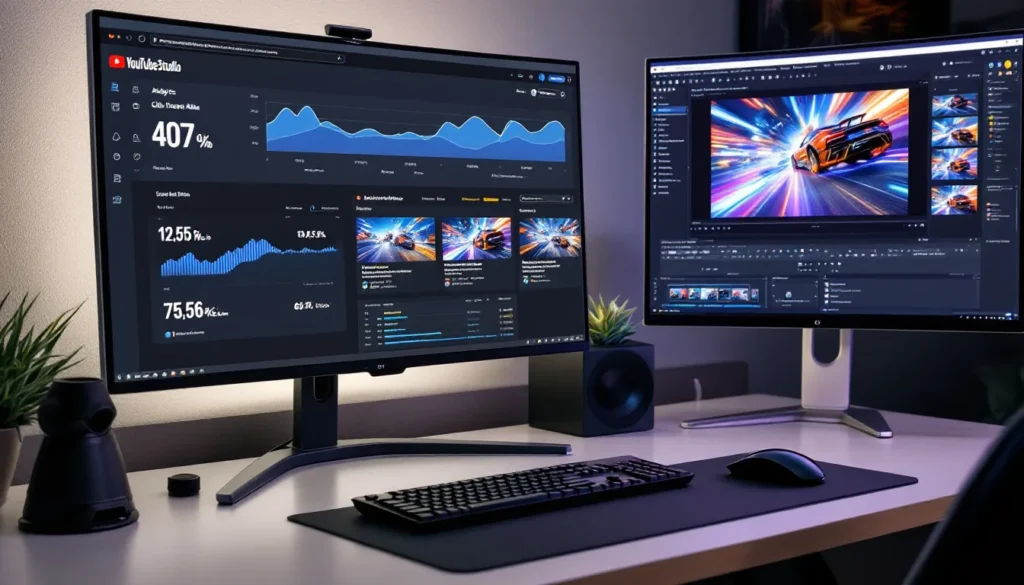
Your thumbnail is the first thing potential viewers see when scrolling through YouTube. In the crowded Rocket League content space, a weak thumbnail means your gameplay gets buried, no matter how insane your flip reset or ceiling shot was. With thousands of creators fighting for attention in 2026, the difference between 500 views and 50,000 often comes down to whether someone clicks on your video in the first three seconds of seeing it.
Creating a compelling Rocket League thumbnail isn’t about slapping random text on a screenshot anymore. The algorithm rewards click-through rate (CTR) more than ever, and viewers have become savvy about spotting low-effort content. Top creators spend 15-30 minutes perfecting each thumbnail because they know it’s the most important marketing asset for any video. Whether you’re building a montage channel, running a trading series, or grinding ranked content, mastering thumbnail design will directly impact your growth trajectory.
This guide breaks down exactly how to create thumbnails that stop the scroll and convert viewers into clicks. From the psychology behind color choices to the technical setup in BakkesMod, you’ll learn the strategies that successful Rocket League creators use to stand out in 2026’s competitive landscape.
Key Takeaways
- A strong Rocket League thumbnail can increase click-through rates (CTR) from 3-4% to 8-10%, directly impacting algorithmic visibility and channel growth in YouTube’s competitive landscape.
- Use bold, thick fonts like Impact or Bebas Neue with 6-10 pixel white or black strokes to ensure your thumbnail text remains readable on mobile devices where 70% of viewers browse.
- Strategic color contrast using complementary palettes (orange/blue, yellow/purple) and clean backgrounds with extracted cars creates visual focus that converts scrollers into clicks within seconds.
- Capture high-quality in-game screenshots using BakkesMod’s free camera in 4K resolution, then downscale to 1280×720 pixels to preserve sharp edges and eliminate compression artifacts.
- Tailor your Rocket League thumbnail design to content type: explosive, multi-car compositions for montages versus clean, single-subject layouts for tutorials to match viewer expectations and boost retention.
- A/B test thumbnail variations after 24-48 hours by changing one element at a time (text color, car position, or background), then analyze YouTube Analytics CTR data to replicate what resonates with your audience.
Why Your Rocket League Thumbnail Matters More Than You Think
The Psychology Behind Click-Worthy Thumbnails
Human brains process images 60,000 times faster than text. When someone scrolls through their YouTube feed, they’re making split-second decisions based on visual stimuli before consciously reading titles. Color contrast, facial expressions (even on car designs), and bold text trigger immediate emotional responses that determine whether someone keeps scrolling or clicks.
Rocket League thumbnails that succeed leverage specific psychological triggers. High-contrast color combinations, think orange explosions against blue backgrounds, create visual tension that demands attention. Action implies reward: a car mid-aerial suggests exciting gameplay worth watching. Readable text with clear value propositions (“SSL ROTATION GUIDE” or “INSANE FLIP RESET”) tells viewers exactly what they’re getting, reducing friction in the decision-making process.
The thumbnail-title combination creates a curiosity gap that viewers want to close. If your thumbnail shows a wild redirect but doesn’t reveal the outcome, viewers click to satisfy that gap. This isn’t clickbait, it’s strategic storytelling compressed into a single frame.
How Thumbnails Impact Your Channel Growth and Engagement
YouTube’s algorithm prioritizes CTR as a primary ranking signal. Videos with 8-10% CTR get pushed to more viewers in suggested feeds and search results compared to those with 3-4% CTR. For new channels especially, a strong thumbnail can mean the difference between the algorithm testing your content on 1,000 impressions versus 100.
Consistent thumbnail quality builds brand recognition. When viewers can identify your content style at a glance, whether through color schemes, layout patterns, or design elements, they’re more likely to click because they trust your content quality. Channels like SunlessKhan and Lethamyr have distinctive thumbnail styles that fans recognize instantly, creating a compounding effect where each video reinforces the next.
The mobile viewing experience makes thumbnails even more critical. Over 70% of YouTube watch time happens on mobile devices where thumbnails appear at roughly 150×85 pixels. If your text isn’t readable or your composition is cluttered at that size, you’re losing the majority of potential viewers before they even consider your content.
Essential Elements of a High-Converting Rocket League Thumbnail
Bold Text and Readable Fonts That Grab Attention
Text hierarchy determines whether viewers understand your thumbnail in under two seconds. The primary text element should communicate the video’s core value using 2-4 words maximum. Fonts like Impact, Bebas Neue, and Montserrat Black work well for Rocket League content because their thick strokes remain legible even at small sizes.
Stroke thickness matters more than most creators realize. Add a 6-10 pixel white or black stroke around text to ensure readability against any background. Some creators add a subtle drop shadow (2-3 pixels) for additional depth, but overdoing effects makes text look amateurish. The goal is clarity, not decoration.
Font color should contrast sharply with the background. White text with black stroke works on most backgrounds, but bold colors (yellow, cyan, orange) create more visual pop when strategically applied. Avoid red text unless it’s on a contrasting background, red on dark backgrounds can blur together at thumbnail resolution.
Dynamic Car Poses and Action Shots
Static car screenshots look boring compared to mid-action captures. The most engaging thumbnails freeze cars during aerials, demos, flip resets, or ceiling shots, moments that convey skill and excitement. Using BakkesMod’s free camera allows creators to position the camera at dramatic angles that you’d never see during actual gameplay.
Car positioning follows the rule of thirds: place your car slightly off-center to create visual interest. Dead-center compositions feel static and amateur. If you’re showcasing multiple cars (like a demo or passing play), arrange them diagonally to lead the viewer’s eye across the frame.
Wheel visibility and boost trails add motion to still images. Capture frames where wheels are visible and rotating, and where boost trails extend behind the car. These subtle cues signal movement and action even in a static thumbnail, making the image feel more dynamic than a simple pose.
Strategic Color Contrast and Visual Hierarchy
The most successful Rocket League thumbnails use complementary color schemes: orange/blue, yellow/purple, or cyan/red. These combinations create maximum contrast, making elements pop against each other. Analyze esports thumbnails from major events, they consistently use high-contrast palettes because they work.
Background choice determines whether your subject stands out or gets lost. Solid gradients work better than busy in-game backgrounds because they don’t compete with your car and text. Many creators blur or darken the original screenshot background (50-70% opacity black overlay) before adding their extracted car on top, creating instant focus.
Visual hierarchy means the viewer’s eye travels exactly where you want it to go. The largest element (usually the car) draws attention first, then text, then secondary elements like rank icons or item showcases. If everything is the same size, nothing stands out, this is why beginner thumbnails often feel cluttered even though having fewer elements than professional ones.
Expressing Emotion and Energy Through Composition
Energy level should match content type. Montage thumbnails benefit from explosive effects, multiple cars, and saturated colors. Tutorial content works better with cleaner compositions, readable text, and calmer backgrounds that suggest authority and clarity rather than chaos.
Camera angles convey different emotions. Low angles looking up at cars create a sense of power and dominance, ideal for “HOW TO RANK UP” or “DOMINATING SSL” content. Eye-level shots feel neutral and informative, working well for guides and tips. High angles looking down create vulnerability or showcase specific mechanics from a teaching perspective.
Expression through decals and customization matters more than creators realize. Cars with angry or aggressive decal designs (like TW Octane with dark decals) convey competitive intensity, while flashy painted items suggest trading or item showcase content. Your car’s visual personality should align with video tone.
Best Tools and Software for Creating Rocket League Thumbnails
Free Options: Canva, GIMP, and Photopea
Canva offers the easiest entry point for thumbnail creation. Its drag-and-drop interface includes pre-made templates sized for YouTube (1280×720 pixels), and the free tier provides enough fonts and effects for basic thumbnails. The limitation comes with layer control and advanced masking, removing backgrounds cleanly requires the Pro version or external tools.
GIMP is open-source image editing software with capabilities approaching Photoshop. It handles layers, masks, and advanced selection tools completely free, making it ideal for creators on budget. The interface feels clunky compared to paid alternatives, and the learning curve is steeper, but comprehensive tutorials exist for gaming-specific use cases like background removal and effect application.
Photopea runs entirely in-browser and mimics Photoshop’s interface almost exactly. It’s genuinely impressive for a free web tool, supporting PSD files, layer masks, and most filters you’d need for thumbnail work. Performance depends on browser and system specs, but for creators who can’t afford Photoshop, Photopea offers 85% of the functionality without installation.
Premium Tools: Photoshop and Affinity Photo
Adobe Photoshop remains the industry standard for a reason. Its masking tools, adjustment layers, and effect libraries provide unlimited creative control. The Magic Wand and Quick Selection tools make background removal relatively quick, while Smart Objects allow non-destructive editing, critical when you’re iterating on thumbnail designs.
Photoshop’s Creative Cloud subscription ($54.99/month for Photography plan as of March 2026) makes sense for creators treating content as a business. The integration with Adobe Fonts and constant updates provide value, though casual creators might struggle to justify the cost for thumbnail work alone.
Affinity Photo offers perpetual licensing (one-time payment around $69.99) with capabilities comparable to Photoshop for most thumbnail tasks. It handles layers, masking, and text effects smoothly without subscription fees. The interface differs enough that muscle memory doesn’t transfer directly, but the learning investment pays off if you prefer ownership over subscription.
BakkesMod for Perfect In-Game Screenshots
BakkesMod is essential for serious Rocket League thumbnail creators. This free PC mod unlocks free camera mode in replays, allowing you to position the camera anywhere in 3D space, impossible with standard replay controls. You can freeze specific frames, hide UI elements completely, and capture angles that make your shots look cinematic.
The setup process is straightforward: install BakkesMod from the official site, launch Rocket League through Steam, and press F2 to open the mod menu. Navigate to “Custom Training → Free Cam” or use it in replay mode. Bind a hotkey for freezing frames (recommended: F5) so you can capture the exact moment a ball hits the crossbar or a demo connects.
Capture at the highest possible resolution, 4K if your system handles it, then downscale for final thumbnails. This preserves quality during cropping and effect application. Many creators following pro player workflows shoot at 3840×2160 then export at 1280×720, maintaining crisp edges and eliminating compression artifacts.
Step-by-Step Guide to Designing Your Thumbnail
Capturing High-Quality Rocket League Screenshots
Start by identifying the key moment in your replay. For montages, find your best shot: for tutorials, choose a frame that illustrates the mechanic clearly. Open the replay in Rocket League and use BakkesMod’s free camera to position your angle. Low and slightly tilted usually creates the most dramatic effect.
Disable all HUD elements through BakkesMod settings (Interface → Toggle UI). This gives you a clean canvas without boost meters, nameplates, or score overlays cluttering the frame. Position your camera so the car takes up roughly 40-60% of the frame, enough presence without leaving no room for text.
Take multiple shots from slightly different angles and distances. You won’t know which works best until you’re editing, so capture 5-10 variations in 30 seconds. Save them as PNG files to preserve quality, JPEG compression introduces artifacts that become obvious during editing.
Removing Backgrounds and Isolating Key Elements
Open your screenshot in your chosen editing software and duplicate the background layer. Working on a copy preserves the original if you make mistakes. Use the Quick Selection Tool (Photoshop/Affinity) or Fuzzy Select Tool (GIMP) to roughly select your car.
Rockets League’s clean graphics make selection easier than most games, but boost trails and wheels require fine-tuning. Zoom to 200-400% and use a small brush to refine selections around wheels and boost. The Refine Edge tool (Photoshop) or Feather Selection (GIMP) smooths harsh selection edges, preventing the cut-out look that screams amateur work.
Once selected, delete or mask the background. Add a solid color layer beneath your extracted car to check for selection errors, a bright green or magenta background makes missed pixels obvious. Clean up any remaining background fragments before proceeding.
Adding Text Overlays That Convert
Create a new text layer and type your primary message using 2-4 words maximum. Size matters: text should be readable when the thumbnail is shrunk to phone screen size. Test by viewing your canvas at 25% zoom, if you can’t read it easily, it’s too small.
Apply a stroke effect: 8-10 pixels of contrasting color (usually white for dark text, black for light text). This separates text from any background regardless of color. Add a subtle drop shadow only if needed, 2 pixels at 70% opacity maximum. Overdone shadows look dated and reduce readability.
Position text strategically, avoid centering everything. Place text in the top third or bottom third, leaving negative space that draws the eye without overwhelming the composition. If you’re adding secondary text (like “EPISODE 7” or “1v1 SHOWDOWN”), make it noticeably smaller (40-50% of primary text size) to maintain hierarchy.
Applying Effects, Filters, and Final Touches
Subtle glow effects make cars pop against backgrounds. Add an Outer Glow layer effect (4-8 pixel radius, 60-80% opacity) matching your car’s primary color. This creates depth and separation without looking overdone. Avoid heavy glow effects that make cars look like they’re radioactive, subtlety wins.
Color grading adjusts mood and energy. Increase saturation by 10-20% to make colors more vivid (Rocket League benefits from this since the game already uses bold colors). Add a slight Curves adjustment to deepen blacks and brighten highlights, increasing overall contrast without crushing details.
Export at exactly 1280×720 pixels as a high-quality JPEG (quality setting 10-12) or PNG if your software supports smaller PNG file sizes. YouTube recommends under 2MB for thumbnails, larger files can cause upload issues. Do a final mobile preview by viewing your exported file at actual size on your phone before uploading.
Thumbnail Design Strategies for Different Content Types
Montages and Highlight Reels
Montage thumbnails should scream energy and skill. Use multiple car elements or a single dramatic aerial shot with explosive effects. Lens flares, motion blur, and vibrant color grading work here because the content itself is high-energy. Text like “INSANE SHOTS” or “FLIP RESET MONTAGE” sets expectations accurately.
Include visual indicators of skill level if relevant, SSL tags, tournament logos, or recognizable pro player cars. These build credibility and help viewers self-select whether the content matches their interest. A Gold player might skip “SSL CEILING SHUFFLE” content but click on “BEST FLIP RESETS” without rank context.
Compositional chaos works for montages when executed intentionally. Multiple overlapping cars, shattered boost pad effects, or motion trails create visual excitement that matches pacing. Just ensure text remains readable, that’s the non-negotiable element.
Tutorial and Tips Videos
Tutorial thumbnails need clarity over chaos. Use clean backgrounds (solid colors or subtle gradients) and position a single car demonstrating the mechanic clearly. Text should be instructional: “HOW TO AIR ROLL” or “FAST KICKOFF TUTORIAL” immediately tells viewers what they’ll learn.
Diagrams or arrows can enhance tutorial thumbnails when used sparingly. A simple arrow showing car trajectory for a flick or recovery adds context without cluttering the design. Keep these elements large and high-contrast, tiny arrows disappear at thumbnail resolution.
Credibility markers matter for educational content. Including your rank badge (if Diamond 3 or above) or years of experience (“5 YEAR VET TIPS”) helps viewers trust your authority. Avoid exaggerating credentials, gamers spot fake expertise immediately and will roast you in comments.
Ranked Gameplay and Road to Grand Champion Series
Ranked series thumbnails benefit from consistent branding across episodes. Use the same layout, font, and color scheme with only the rank badge changing as you progress. This creates visual continuity that helps viewers track progress and builds anticipation for the next episode.
Rank badges should be prominent, place them in a corner at roughly 15-20% of thumbnail size. Use official Rocket League rank icons from Psyonix press kits when possible for authenticity. Current rank and target rank (“CHAMP 2 → GC”) creates a clear progression narrative.
Gameplay thumbnails work better with emotional expression. Mid-demo explosions, controversial plays, or close overtime situations give viewers a taste of the session’s intensity. Pair these with text like “3 GAME WIN STREAK” or “DERANKED AGAIN” to set emotional stakes.
Trading and Item Showcase Content
Item showcases require different composition entirely. The item, whether it’s a Titanium White Octane, Black Dieci, or Alpha Cap, should dominate the frame. Use close-up angles that show paint finish, special editions, or animated effects clearly. Lighting and background color should complement the item’s appearance.
Price indicators work well for trading content: “20,000 CREDITS” or “ALPHA BOOST TRADE” immediately communicates value. Use currency symbols or credit amounts that are accurate as of filming, misleading prices damage channel credibility fast in the tight-knit trading community.
Before/after formats crush for profit videos and trading journey content. Split the thumbnail vertically: left side shows your starting inventory (modest items), right side shows your current wealth (expensive items). This visual progression tells a story instantly and taps into aspirational viewing.
Common Thumbnail Mistakes to Avoid
Cluttered Designs That Confuse Viewers
New creators try to cram everything into one thumbnail, multiple text elements, too many cars, rank badges, item showcases, and effect overlays. The result is visual noise where nothing stands out. Viewers scroll past confused rather than intrigued.
Limit yourself to three main elements: car/subject, primary text, and one secondary element (rank badge, logo, or small text). If you’re adding a fourth element, remove something else first. Negative space is a feature, not wasted canvas, it gives the eye places to rest and makes focal points stronger.
Test the “squint test”: zoom out or squint at your thumbnail. If you can’t immediately identify the main focus and read the text, it’s too cluttered. Simplification almost always improves performance over addition.
Text That’s Too Small or Hard to Read on Mobile
Mobile viewing kills small text. Creators design on 24-27 inch monitors then wonder why CTR sucks, their text looks fine on desktop but becomes illegible on a 6-inch phone screen where 70%+ of viewers browse. If your text is under 60 pixels tall in a 1280×720 canvas, it’s probably too small.
Thin fonts are readability killers. Fonts like Helvetica Thin or elegant scripts might look sophisticated on desktop but turn into mush on mobile. Stick to bold, thick fonts with clear letterforms. When in doubt, go bigger and bolder, nobody ever complained that text was too easy to read.
Contrast issues hide text against backgrounds. Light yellow text on white backgrounds, dark blue on black, or red on orange all create situations where text blends rather than pops. Always check text visibility at thumbnail size before finalizing.
Misleading Clickbait That Damages Your Reputation
Exaggerated claims destroy channel credibility. Thumbnails promising “UNLIMITED CREDITS GLITCH” or “SECRET SSL TECHNIQUE” when the video delivers basic tips will tank your audience retention, hurt algorithmic performance, and fill your comments with justified anger. Gaming audiences are especially hostile to misleading content.
Using fake shocked faces or manipulated gameplay creates short-term clicks but long-term damage. Viewers feel betrayed when content doesn’t match thumbnail promises, leading to dislikes, reduced watch time, and lower recommendation rates. YouTube’s algorithm increasingly punishes this pattern through suppressed reach.
Authenticity builds sustainable growth. Thumbnails should amplify your actual content, not misrepresent it. If your best shot in the video is a double touch, show that, don’t photoshop a flip reset quad touch that never happened. Viewers return to channels they trust, and trust starts with honest thumbnails.
Analyzing and Optimizing Thumbnail Performance
A/B Testing Different Thumbnail Variations
YouTube allows thumbnail changes after upload, enabling creators to test variations. Change your thumbnail after 24-48 hours and compare CTR between periods. Make only one significant change per test, text color, car position, or background, so you know which variable affected performance.
Create two distinct versions before uploading: Version A with one approach (explosive action shot) and Version B with another (clean tutorial style). Monitor which gets better CTR in the first 48 hours when YouTube is testing your video with different audiences. The winning style informs your next thumbnail strategy.
Document your tests in a spreadsheet: thumbnail elements, CTR percentage, impressions, and video topic. Patterns emerge after 10-15 tests, maybe your audience responds better to text-heavy thumbnails, or certain color schemes consistently outperform others. Data beats guessing.
Using YouTube Analytics to Track Click-Through Rates
YouTube Studio’s Analytics tab reveals CTR under the Reach section. Healthy CTR varies by content type and channel size, but 4-6% is average for small channels, 6-10% for established channels. Anything above 10% indicates strong thumbnail performance relative to your niche.
Compare CTR across your videos to identify patterns. Your highest CTR videos reveal what resonates with your specific audience. Download the data and sort by CTR, study what those thumbnails have in common. Is it the text style? Camera angle? Color palette? Replicate success patterns.
Impressions versus CTR reveals different issues. High impressions with low CTR means YouTube is showing your video but thumbnails aren’t converting. Low impressions regardless of CTR means algorithmic issues beyond thumbnails (title, tags, or watch time problems). Focus optimization efforts where data points to actual problems.
Learning from Top Rocket League Creators
Study successful channel patterns without copying directly. Creators like SunlessKhan use consistent branding (orange/blue color scheme, specific font choices) across uploads. Lethamyr’s thumbnails balance clean composition with clear text. JZR’s montage thumbnails maximize energy through dynamic poses and vibrant effects.
Analyze what makes their thumbnails work at a structural level: text placement, color contrast, subject positioning. Then apply those principles to your own style rather than duplicating their exact look. Viewers can spot copycat thumbnails, and it damages credibility.
Track trending thumbnail styles within the Rocket League community quarterly. What worked in 2024 might feel dated in 2026 as design trends evolve. Stay current without chasing every trend, balance contemporary design with timeless principles of contrast, clarity, and composition.
Conclusion
Thumbnail creation is one of the highest-leverage skills for Rocket League content creators. Fifteen minutes of focused design work can be the difference between a video reaching 1,000 viewers or 100,000. The technical skills, background removal, text effects, composition, become muscle memory after creating 20-30 thumbnails. The strategic thinking, understanding what makes your specific audience click, develops through testing and data analysis.
Start by mastering the fundamentals: readable text, high contrast, clean composition. Use free tools like BakkesMod for screenshots and Photopea for editing if budget is tight. As your channel grows and thumbnail creation becomes a regular part of your workflow, consider upgrading to Photoshop or Affinity Photo for faster iteration and more creative control.
Most importantly, commit to consistency. Upload schedules matter, but visual consistency builds brand recognition faster than anything else. When viewers can spot your content at a glance, you’ve created a compounding advantage that makes each new upload more likely to succeed than the last. Your thumbnails aren’t just decoration, they’re the most important marketing asset your channel has.
More Stories
Rocket League Camera Settings: The Ultimate 2026 Guide to Perfect Your View
The Coolest Rocket League Cars: Ultimate Style Guide for 2026
Justin Rocket League: The Rise of a Freestyle Legend and His Impact on Competitive Play