
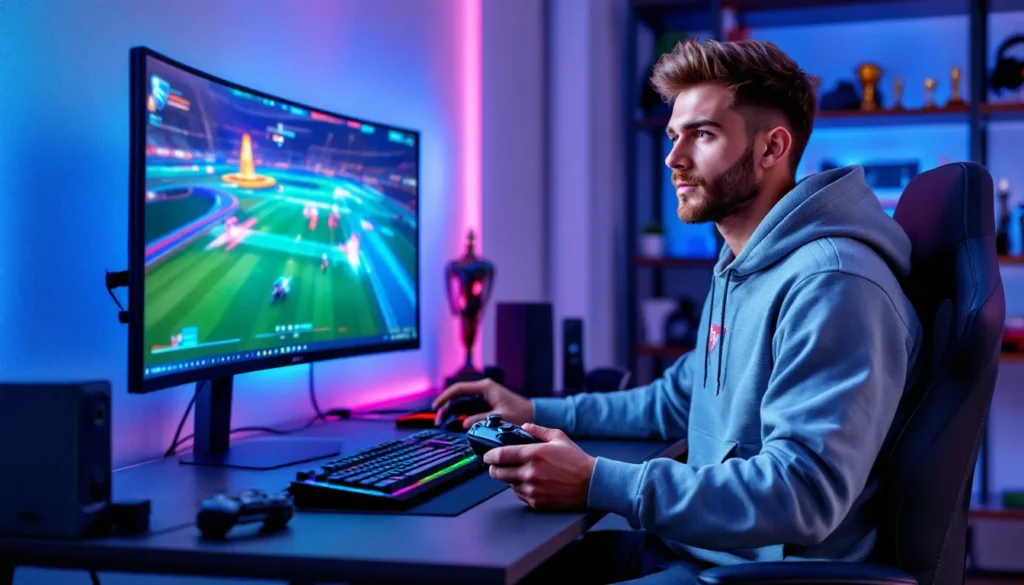
Rocket League sits in a weird spot, it’s a game where milliseconds matter, where a perfectly timed aerial can mean the difference between a game-winning goal and a humiliating whiff. Your controller isn’t just an input device here: it’s an extension of your car, translating thumbstick pressure and button taps into boost management, air rolls, and wall reads. A sloppy controller with input lag or mushy sticks? That’s going to cost you games, simple as that.
The controller market in 2026 is packed with options ranging from $30 budget picks to $300 competitive monsters with swappable components and hair-trigger settings. Some are built for all-around gaming, others laser-focused on competitive edge. For Rocket League specifically, you need low latency, precise analog sticks for those micro-adjustments mid-air, and buttons that can handle thousands of rapid power-slides without ghosting or dying. This guide breaks down the best controllers for Rocket League right now, what features actually matter for competitive play, and how to dial in your settings once you’ve got the right gear in hand.
Key Takeaways
- The best controller for Rocket League combines low input lag (sub-5ms wired or under 8ms wireless), precise analog sticks with adjustable deadzones, and durable button construction to handle thousands of rapid inputs.
- The Xbox Elite Series 2 Core stands out as the best overall controller option, offering rear paddle support, swappable stick modules, and sub-7ms wireless latency at a reasonable price point.
- Input lag and stick precision are critical in Rocket League since there’s no aim assist—even 10-15ms of delay compounds across a match and directly impacts your competitive ranking.
- Remapping boost and powerslide to rear paddles is a game-changing optimization that keeps your thumbs on the sticks during aerials and is standard practice among professional players.
- Lower deadzone settings (0.05-0.10 for steering and aerial) significantly improve responsiveness and micro-adjustments, though hall-effect stick controllers can safely run even lower at 0.03-0.05 without drift.
- Regular maintenance—cleaning stick bases, checking firmware updates, and replacing worn components early—extends your controller’s lifespan and prevents performance degradation that forces bad mechanical habits.
Why Your Controller Choice Matters in Rocket League
Unlike shooters where aim assist can smooth over hardware inconsistencies, Rocket League is pure mechanical skill. There’s no aim assist softening your inputs, no auto-rotation helping you line up aerials. Every flip, every air roll, every feathered boost tap is a direct translation of what your thumbs are doing.
Input lag kills momentum. If your controller is feeding inputs to the game 10-15ms slower than your opponent’s, you’re reacting late to every 50/50, every aerial challenge, every save attempt. That’s not a skill gap, that’s a hardware disadvantage. High-level players are already operating on razor-thin margins: adding even a few milliseconds of delay compounds across a 5-minute match.
Stick precision is equally critical. Rocket League demands constant micro-adjustments: tilting your car for the perfect angle on a redirect, threading boost between obstacles, holding a specific drift angle through a sharp turn. Controllers with larger deadzones or sloppy centering force you to overcompensate, making consistent mechanics harder to develop. The difference between a clean double-tap and slamming into the crossbar often comes down to a degree or two of stick input.
Button reliability matters more than you’d think. Power-sliding through rotations, air-rolling for recoveries, boost-feathering during aerials, these aren’t occasional actions. You’re hammering buttons thousands of times per session. Cheap switches wear out, causing missed inputs or double-registering. At higher ranks, a single phantom input can blow a defensive rotation.
Key Features to Look for in a Rocket League Controller
Not all controllers are built the same, and certain specs matter way more for Rocket League than others. Here’s what to prioritize when shopping.
Input Lag and Response Time
Wired beats wireless for competitive play, period. USB connections typically deliver sub-5ms input lag, while wireless controllers, even modern ones using 2.4GHz dongles, often sit between 8-12ms. Bluetooth is worse, sometimes hitting 15-20ms depending on your adapter and interference.
That said, premium wireless controllers in 2026 have closed the gap significantly. The Xbox Elite Series 2, DualSense Edge, and Scuf Instinct Pro all clock in under 8ms over their proprietary wireless protocols, which is competitive-viable for most players outside the top 0.1%. But if you’re chasing every advantage, wired is still king.
Polling rate also factors in. Controllers that poll at 125Hz update their state every 8ms: 1000Hz polling (found on some PC-focused controllers) updates every 1ms. The difference is noticeable in frame-by-frame scenarios, especially at higher refresh rates.
Stick Precision and Dead Zones
Analog stick quality varies wildly. Budget controllers often use generic potentiometer-based sticks that drift after moderate use and have inconsistent resistance curves. Premium options use hall-effect sensors (magnetic, drift-resistant) or higher-quality potentiometers with tighter tolerances.
Stick tension is personal preference, but most Rocket League players prefer slightly stiffer sticks for finer control during aerials. Too loose and you’ll overcorrect: too stiff and quick flicks become exhausting.
Deadzone configurability is clutch. Being able to lower your deadzone to 0.05 or even 0.03 (if your sticks support it) means faster directional changes and more responsive car control. Controllers that force large deadzones feel sluggish by comparison.
Button Layout and Customization
Rocket League doesn’t use a ton of buttons, but button remapping and back paddles unlock more efficient control schemes. Most high-level players bind boost, powerslide, or air roll to rear paddles so they never have to take their thumbs off the sticks.
Button actuation matters too. Mechanical face buttons with shorter travel distances respond faster than membrane buttons. The difference is subtle but real, especially for rapid powerslide chains or boost taps.
Trigger customization is less critical in Rocket League than shooters, but adjustable trigger stops can speed up acceleration and reverse inputs if you prefer binary throttle control over analog.
Build Quality and Durability
You’re going to abuse this thing. Controllers need to survive thousands of hours of boost slams, powerslide spam, and the occasional rage-induced grip squeeze.
Look for reinforced stick modules, quality plastics (not brittle ABS), and buttons rated for millions of actuations. Cheap controllers fall apart within 6 months of serious play. According to detailed controller longevity testing, premium models can last 2-3x longer under heavy use, making the upfront cost worth it.
The Best Controllers for Rocket League in 2026
Here are the top picks across different budgets and platforms, all tested for Rocket League-specific performance.
Best Overall: Xbox Elite Series 2 Core
Price: ~$130
Platform: Xbox, PC (full support), PS5 (limited compatibility)
Connectivity: USB-C wired, 2.4GHz wireless, Bluetooth
The Xbox Elite Series 2 Core strips out the carrying case and extra paddles from the full Elite 2 but keeps the essential features: swappable stick modules, adjustable tension, rear paddle support, and sub-7ms wireless latency. The sticks are butter-smooth with minimal deadzone out of the box, and the build quality is rock-solid (ignoring the stick drift issues that plagued earlier batches, 2026 units seem fixed).
For Rocket League, the rear paddles are game-changing. Map boost and powerslide to the paddles, and you’ll never fumble inputs during fast aerials again. The Xbox button layout also feels more natural for most players compared to PlayStation’s symmetrical stick design.
Downside: It’s Xbox-ecosystem focused. PS5 compatibility exists but requires workarounds, and you lose some customization features.
Best Budget Option: PowerA Wired Controller
Price: ~$30
Platform: Xbox, PC
Connectivity: USB wired only
If you’re on a tight budget or just testing whether controller play suits you, the PowerA Wired Controller punches way above its price. It’s officially licensed, so compatibility is solid, and input lag is near-zero thanks to the wired connection.
The sticks aren’t premium, expect slightly larger deadzones and less refined resistance, but they’re serviceable for ranks up through Diamond or low Champ. Build quality is the weak point: these don’t survive years of abuse, but at $30, you can replace it annually without guilt.
No back paddles, no customization, no frills. Just a cheap, functional stick for grinding your way up the ranks.
Best for PlayStation Players: DualSense Edge
Price: ~$200
Platform: PS5, PC
Connectivity: USB-C wired, 2.4GHz wireless
Sony’s answer to the Xbox Elite, the DualSense Edge brings back paddles, swappable stick modules, adjustable trigger lengths, and on-controller profile switching. The haptics and adaptive triggers (Rocket League doesn’t use them, but they’re there) add weight, but the controller balances well.
Stick precision is excellent, and the ability to swap stick caps for different heights/shapes lets you dial in your preferred feel. Deadzone and sensitivity curves are fully customizable via PS5 settings, which is clutch for fine-tuning your aerials.
Battery life is mediocre at ~5-6 hours of wireless play, so expect to stay plugged in for longer sessions. Input lag over USB is sub-5ms, and wireless clocks around 7-8ms, competitive-viable.
Best Premium Pick: Scuf Instinct Pro
Price: ~$230
Platform: Xbox, PC
Connectivity: USB-C wired, 2.4GHz wireless
The Scuf Instinct Pro is built for esports. Instant triggers (adjustable stops), four removable rear paddles, high-performance thumbstick modules, and a grippy rubberized shell. It’s expensive, but every component screams durability and precision.
Rocket League players love the instant triggers for faster throttle response and the ability to remap every button via Scuf’s software. The sticks use premium potentiometers with tight tolerances, supporting deadzones as low as 0.03 without drift.
Pros rely on competitive-grade peripherals, and Scuf is a staple in that ecosystem. The Instinct Pro is overkill for casual play, but if you’re grinding ranked or competing in tournaments, it’s worth the investment.
Best for PC: Xbox Series X
|
S Controller
Price: ~$60
Platform: Xbox, PC
Connectivity: USB-C wired, 2.4GHz wireless, Bluetooth
The standard **Xbox Series X
|
S Controller** is the vanilla option, but it’s vanilla done right. Excellent build quality, textured grips, refined D-pad, and native support across Windows and Steam. Input lag is low (sub-6ms wired, ~8ms wireless), and the sticks are precise with minimal deadzone.
No back paddles or customization, but at $60, it’s a reliable workhorse. PC players especially benefit from seamless plug-and-play compatibility without driver headaches. If you don’t need elite features, this is the sweet spot for price-to-performance.
Best for Competitive Play: Victrix Pro BFG
Price: ~$180
Platform: Xbox, PC, PS5 (with adapter)
Connectivity: USB-C wired only
The Victrix Pro BFG (“By Gamers, For Gamers”, yes, really) is a modular beast. Swap out the D-pad, faceplates, and stick modules. Includes 14 (.) remappable buttons, adjustable stick tension via replaceable springs, and a wired connection for zero-latency input.
It’s chunky and feels more like a fight stick hybrid than a traditional controller, but the precision is unmatched. The stick modules support ultra-low deadzones, and the mechanical buttons have near-instant actuation. Tournament players favor wired setups to eliminate wireless interference, and the Victrix delivers.
Downside: Wired-only, and the learning curve for the button layout is steep. Not for casual players, but serious competitors will appreciate the configurability.
Controller vs. Keyboard and Mouse: Which Is Better for Rocket League?
Short answer: Controller wins, and it’s not close. Rocket League’s mechanics, especially aerials, air rolls, and analog throttle control, are built around analog stick input. Keyboard and mouse forces you into binary directional inputs (W/A/S/D), which makes fine-tuning car angle in the air exponentially harder.
The data backs this up. Surveys and competitive analysis from esports coverage outlets show that over 95% of pro Rocket League players use controllers. The top 100 ranked players? Nearly 100% controller.
Keyboard players can reach high ranks, there are Grand Champs and even a handful of SSL players on KBM, but they’re statistical outliers. They compensate with insane game sense and positioning because their mechanical ceiling is lower. Aerials, half-flips, and recoveries all require workarounds that controller players execute more naturally.
Mouse aim doesn’t matter in Rocket League (there’s no cursor or crosshair to track), so the traditional KBM advantage in shooters evaporates. You’re left with worse car control, clunkier air adjustments, and no benefit to offset those weaknesses.
If you’re already comfortable on KBM and don’t want to relearn, you can hit Diamond or low Champ. But if you’re serious about climbing, switching to controller is non-negotiable.
Optimal Controller Settings for Rocket League
Even the best controller won’t perform without proper settings. Here’s how to configure Rocket League for maximum responsiveness.
Deadzone Settings
Steering Deadzone and Aerial Deadzone control how much stick movement is required before the game registers input. Lower is better, it makes your car more responsive, but too low and you’ll get stick drift (the car turns even when you’re not touching the stick).
Start with:
- Steering Deadzone: 0.05-0.10
- Aerial Deadzone: 0.05-0.10
If your car drifts or your aerial control feels twitchy, bump up by 0.01 increments. Premium controllers with hall-effect sticks can often run 0.03-0.05 without drift.
Dodge Deadzone affects flip inputs. Most players leave this at default (0.50-0.70) to prevent accidental flips, but lowering it slightly (0.40-0.50) can speed up flip cancels and half-flips.
Sensitivity and Aerial Sensitivity
Steering Sensitivity determines how much your car turns per unit of stick deflection. Higher = faster turns, but harder to make small adjustments. Most players run between 1.30-1.50.
Aerial Sensitivity does the same for air control. Competitive players often run this slightly higher (1.40-1.60) for faster air rolls and recoveries, but it takes practice to avoid over-rotating.
There’s no universal “best” setting, experiment in free play. Can you consistently hit the crossbar from midfield? Adjust until you can.
Button Remapping Recommendations
Default controls are trash. Here’s a popular competitive layout (based on what many pros use):
- Boost: R1/RB (or rear paddle)
- Powerslide/Air Roll: L1/LB (or rear paddle)
- Air Roll Left: L1/LB (shared with powerslide, or separate paddle)
- Air Roll Right: Square/X (or rear paddle)
- Jump: A/X (default, keep it here)
- Ball Cam Toggle: Triangle/Y (default works)
The key is keeping boost and powerslide off face buttons so your thumb never leaves the right stick. If you have back paddles, map boost and air roll there, it’s the single biggest quality-of-life upgrade.
Some players prefer directional air roll (binding left/right separately) for faster tornado spins and recoveries. Others stick with a single air roll bind. Both work: it’s preference and muscle memory.
How Pro Players Set Up Their Controllers
Pro setups vary more than you’d expect, but a few trends stand out. Most RLCS players use either Xbox Elite controllers or Scuf models, favoring wired connections during tournaments to avoid interference or battery issues.
Deadzone settings cluster around 0.05-0.10 across the board. Some outliers run as low as 0.03 (players with newer controllers or frequent replacements), while a few sit at 0.15 to avoid accidental inputs during high-pressure moments.
Sensitivity tends toward 1.40-1.50 for steering and slightly higher (1.50-1.60) for aerial. Faster sens allows quicker recoveries and air adjustments, but requires more precise thumbwork. Players with years of muscle memory can handle higher values: newer competitive players often start lower and creep up over time.
Boost on R1/RB and powerslide/air roll on L1/LB is near-universal. The exact air roll setup splits the community: some pros swear by single air roll (easier to learn, still effective), while others use directional air roll binds for maximum control in ceiling shots and flip resets.
Paddle usage is common but not mandatory. Players with four-paddle controllers often map boost, powerslide, air roll left, and air roll right to paddles, freeing up face buttons entirely. Others use just two paddles and keep some functions on bumpers for comfort.
One thing’s consistent: pros test settings relentlessly in free play and custom training packs. They’re not guessing, settings are refined over thousands of hours until inputs feel like breathing. If you want to climb, expect to put in similar reps.
Maintaining Your Controller for Peak Performance
Controllers are investments, and maintenance extends their lifespan significantly. Here’s how to keep yours running clean.
Clean your sticks regularly. Dust, skin oils, and grime build up around stick bases, increasing friction and contributing to drift. Use compressed air to blow out debris, and wipe down stick surfaces with isopropyl alcohol on a microfiber cloth every few weeks.
Check firmware updates. Xbox, PlayStation, and third-party controllers occasionally push firmware that improves responsiveness or fixes bugs. Missing updates can leave performance on the table.
Replace worn components early. If you notice stick drift, mushy buttons, or inconsistent inputs, don’t wait, swap out stick modules (on modular controllers) or replace the whole unit. Playing on degraded hardware ingrains bad habits as you compensate for faulty inputs.
Store properly. Don’t toss your controller in a drawer or leave it wedged under your monitor. Use a stand or case to prevent stick deflection and accidental button presses, both of which accelerate wear.
Avoid rage. Easier said than done after a brutal de-rank, but slamming or throwing your controller destroys internal components, especially stick potentiometers and shoulder button switches. Rage into a pillow instead.
If you’re putting in 20+ hours a week, expect to replace even premium controllers every 12-18 months. Budget options might last 6-9 months. Factor replacement cost into your initial purchase decision.
Conclusion
Your controller is the interface between intention and execution in Rocket League. A responsive, well-built controller with proper settings won’t magically carry you to Grand Champ, but it removes hardware as a limiting factor. You’ll miss fewer aerials due to input lag, land cleaner recoveries with precise sticks, and execute faster powerslides with optimized button layouts.
The Xbox Elite Series 2 Core hits the best overall balance of features, build quality, and price. PlayStation players should grab the DualSense Edge for equivalent functionality. Budget-conscious grinders can start with the PowerA and upgrade later. Competitive players eyeing tournament play will appreciate the Scuf Instinct Pro or Victrix Pro BFG.
Once you’ve got the hardware, dial in your deadzones, sensitivity, and button mapping in free play. Test, tweak, repeat. Settings that feel perfect today might need adjustment as your mechanics improve. And remember: even the best controller requires maintenance and eventual replacement. Treat it well, and it’ll serve you through thousands of ranked matches and countless demo plays.
More Stories
Rocket League Camera Settings: The Ultimate 2026 Guide to Perfect Your View
The Coolest Rocket League Cars: Ultimate Style Guide for 2026
Justin Rocket League: The Rise of a Freestyle Legend and His Impact on Competitive Play